


 Forum
Forum
 Rules
Rules Donation
 Servers
 Guides
 Video
Video
Enhance your gaming experience in Minecraft with the Boosted Brightness mod! This mod allows you to adjust the brightness in the game beyond the standard values. The new brightness slider expands the range from -100% to 1200%, allowing you to create the perfect conditions for exploring dark caves or the expanses of the night world. With additional brightness levels, you can tailor the game to different situations, and convenient hotkeys will provide quick access to the necessary settings. Customize the light in Minecraft to your liking with Boosted Brightness and see the world in a new light!
Boosted Brightness - Improved brightness на версии [1.15.1] [1.16] [1.16.2] [1.16.4] [1.17] [1.18] [1.19] [1.19.3] [1.20.1]
Aug 8, 2025 1:28 PM
2051

Description
Screenshots
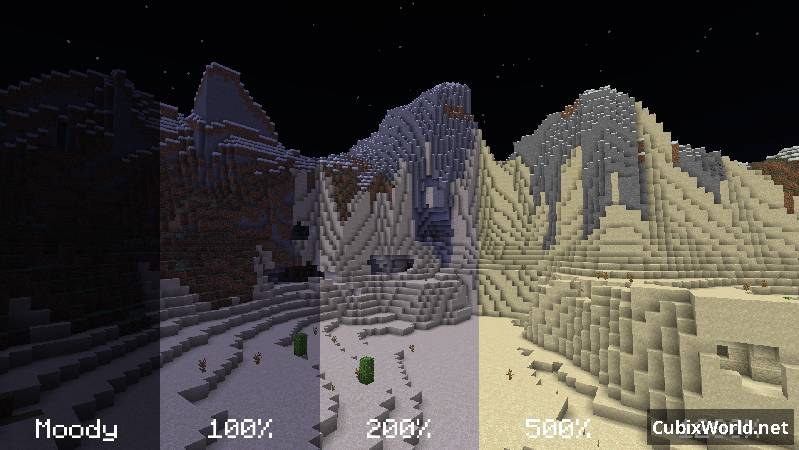
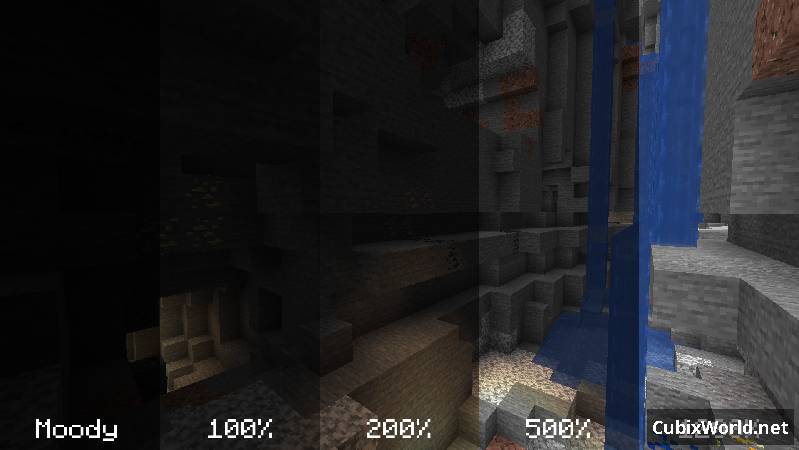

How to install Boosted Brightness
- Download and install Minecraft Forge
- Download the mod
- Move the jar file to the directory .minecraft\mods
- Enjoy the game :)
Download the mod Boosted Brightness
Mod for

With mods, ready-made packs and servers
boosted-brightness-2.2.0+1.20.1.jar
boosted-brightness-2.1.3+1.19.3.jar
boosted-brightness-2.1.2+1.19.jar
boosted-brightness-2.1.1+1.18.2.jar
boosted-brightness-2.0.0+1.17.jar
boosted-brightness-2.0.0+1.16.5.jar
boosted-brightness-1.2.1.jar
boosted-brightness-1.0.0-1.16.jar
boosted-brightness-1.0.0.jar
You can play with a huge number of mods with other players! All this is available on our Minecraft servers - CubixWorld!
Register and download the launcher to play on servers with unique modifications and thousands of players.
Start the game!
Register and download the launcher to play on servers with unique modifications and thousands of players.
Start the game!


 Registration
 Forgot your password
 Download the launcher
 Mods
Mods
 Player ranking
 Ban list
 FAQ
FAQ
 Project team





 Telegram
 Discord
 YouTube
 Home
Home
 Forum
Forum
 Navigation
 Authorization